PST Archive Viewer › Windows to Mac with a PST file
Moved from Windows to Mac: what to do with your Outlook PST file
Last updated 24 November 2026 · Applies to version 1.1
When you move from a Windows PC to a Mac, your old Outlook mail usually comes along as a .pst file, and nothing on the Mac opens it. Copy the file to the Mac, then either read it where it is with a PST viewer, or import it into a mail app. If you only need to look things up in old mail, a viewer is enough: PST Archive Viewer opens and searches the file for free and never changes it.
Free to open and search · macOS 12 or later, Apple Silicon · No account
Why this app exists
PST Archive Viewer was built by someone in exactly this position: years of Outlook mail on Windows, then a move to a Mac, and an archive that suddenly would not open. More about who makes it.
1. Find the PST on the Windows PC
If you still have the PC, do this before you wipe or return it.
- Find existing files. In classic Outlook, open File › Account Settings › Account Settings and choose the Data Files tab. Every data file is listed with its full path. PST files are often in
Documents\Outlook Files. - Mail kept on a server? With Microsoft 365, Exchange or IMAP, the local file is usually an
.ostcache. Export a real PST instead: File › Open & Export › Import/Export › Export to a file › Outlook Data File (.pst), and include subfolders. - Close Outlook before you copy the file, so the copy is complete.
2. Copy it to the Mac
- External drive. Format it as exFAT: FAT32 cannot hold a file larger than 4 GB, and old mailboxes are often bigger.
- Network or cloud. Fine for small files. For tens of gigabytes a drive is faster, and the mail does not pass through a third party.
- Check the size on both sides after copying. A PST that was cut short will not index completely.
Keep the original PST somewhere safe. It is your backup of that mailbox.
3. Decide what you want from the old mail
| You want to | Do this | Notes |
|---|---|---|
| Look things up now and then | Open the PST in a viewer | Nothing is imported. Free in PST Archive Viewer. |
| Keep working in Outlook on the Mac | Import the PST into Outlook for Mac | Copies everything into Outlook; slow for big files. See the import steps. |
| Move everything into Apple Mail | Convert to MBOX, then File › Import Mailboxes | MBOX export is in the Personal plan. See the MBOX route. |
| Pull out a few emails as files | Export them as EML or PDF | The free version exports 20 single emails. |
Most people who switch only need the first row: the old mailbox is an archive, not something to keep working in.
4. Open and search it on the Mac
- Download PST Archive Viewer and drag it to Applications.
- Drag the
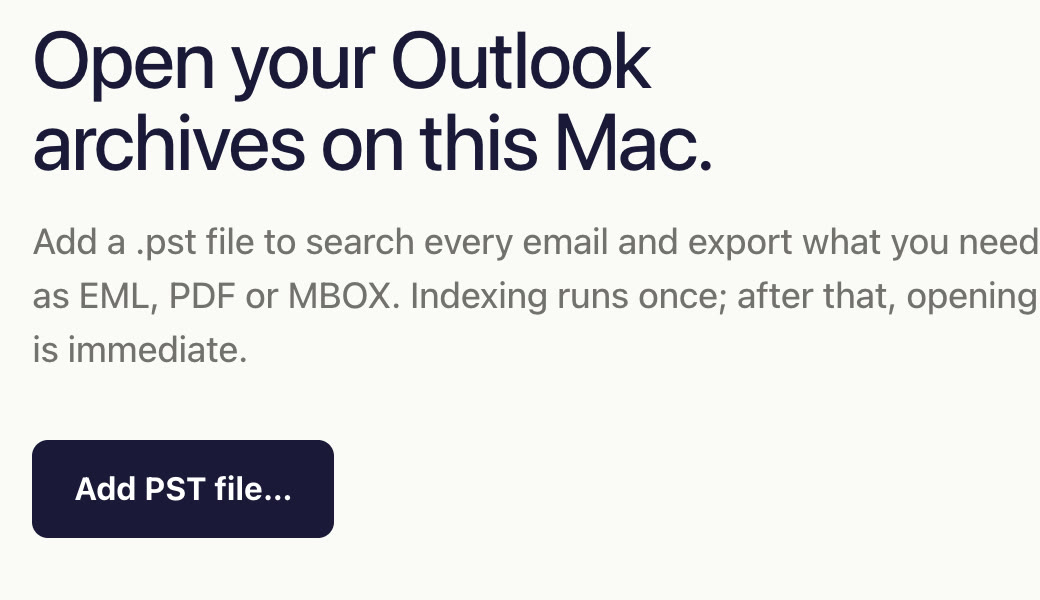
.pstonto the window. It is opened read-only. - The app indexes the file once in the background. You can read and search what is already indexed while it works. For a very big mailbox, see large PST files.
- Browse the folders as they were in Outlook, or press
/and search by word, sender, date or attachment.
5. Bring contacts and calendar along
A PST holds more than mail. Under Views, the app lists the contacts, calendar items, tasks and notes stored in the file. The export button saves contacts as a vCard file (.vcf) and calendar items or tasks as an iCalendar file (.ics), which open in Contacts and Calendar on the Mac. This is free.
If something does not work
- You only have an
.ostfile. Many open like a PST, some newer ones do not. Try it in the free version. - The PST had a password in Outlook. It usually opens anyway, because that password does not encrypt the mail.
- “Indexing failed”. The file may be damaged or incompletely copied. Copy it again; if that does not help, repair it with
scanpst.exeon a Windows PC. - Intel Mac. The app runs on Apple Silicon Macs only.
Questions
Can a Mac open the PST file from my old Windows PC?
Not by itself. Apple Mail, Finder and Quick Look do not read PST files. You need a PST viewer such as PST Archive Viewer, or you have to import or convert the file into a mail app.
Do I need to buy Outlook for Mac to read my old mail?
No. A PST viewer reads the file directly without Outlook or a Microsoft account. In PST Archive Viewer, opening the file, reading every email and searching are free.
Where is the PST file on my Windows PC?
In classic Outlook, open File, Account Settings, Account Settings, then the Data Files tab. It lists every data file with its full path. PST files are often in Documents\Outlook Files.
I no longer have the Windows PC. Is the PST still usable?
Yes, if you have the .pst file itself, for example on a backup drive. The file contains the mail; Windows and Outlook are not needed to read it with a viewer.
Can I get my old contacts and calendar onto the Mac too?
Yes. PST Archive Viewer shows the contacts, calendar items, tasks and notes stored in the PST and exports contacts as a vCard file and calendar items as an iCalendar file, for free. Both import into Contacts and Calendar on the Mac.