PST Archive Viewer › Search a PST file
How to search a PST file on a Mac
Last updated 24 November 2026 · Applies to version 1.1
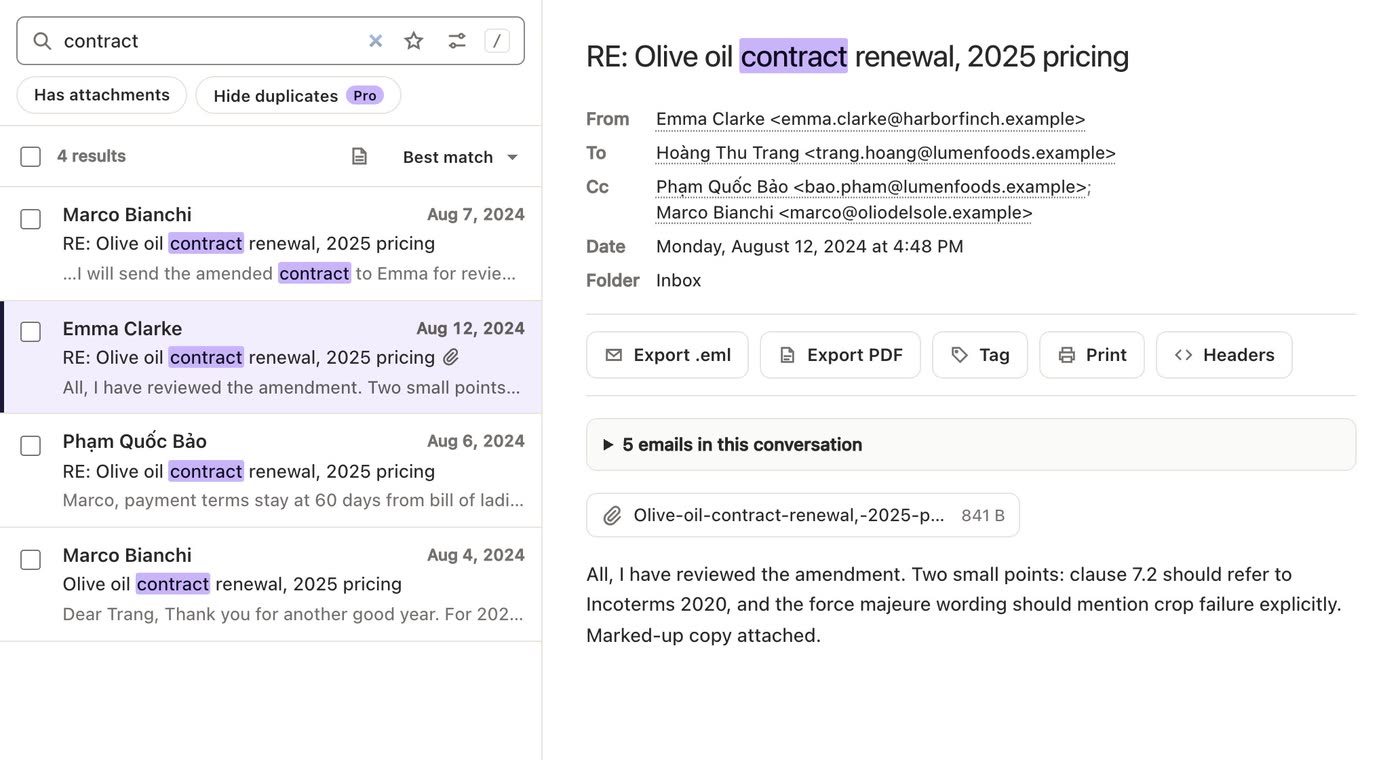
Spotlight and Finder do not look inside .pst files. To search one on a Mac, add it to PST Archive Viewer, let it build a full-text index once, then type in the search box. It searches the subject, body, sender and recipients of every email, ignores accents, matches the start of words and exact phrases, and narrows by sender, date, folder or attachments. Searching is free and runs on your Mac.
Free to open and search · macOS 12 or later, Apple Silicon · No account
What you can type
| You type | It finds |
|---|---|
lease | lease, leases, leasing: words match from their start |
"final signed copy" | The exact phrase |
dong ho, cafe | Đồng hồ, café: accents are ignored |
okafor | Okafor as sender, To, Cc or Bcc, or in the text |
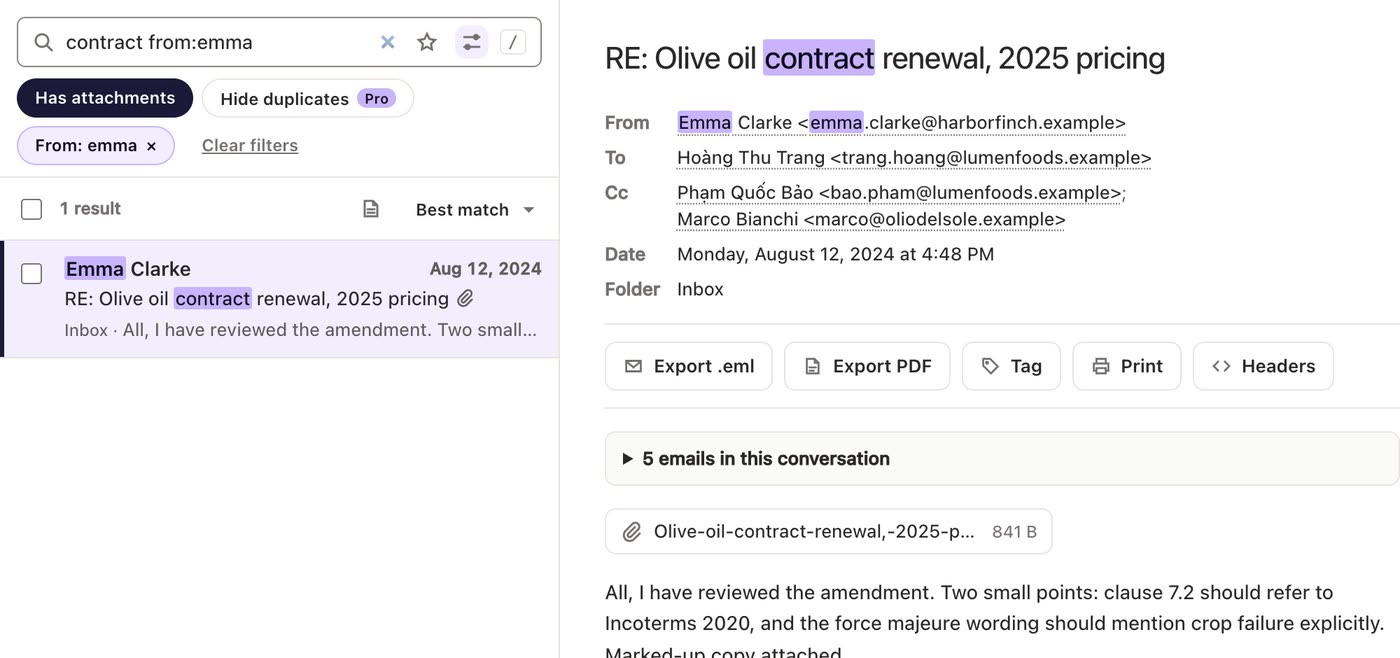
from:okafor, to:legal | Only that sender or recipient. Use quotes for names with spaces: from:"Ada Okafor" |
subject:lease | The word in the subject only |
has:attachment | Only emails with files |
after:2023, before:2024-06 | A date range |
tag:name | Emails you tagged |
Each filter shows as a chip in the search box that you can remove with one click. If you prefer a form, Filters opens an Outlook-style advanced search with From, To, Subject, Keywords, Date received and Has attachments.
Narrow it down
- By folder: click a folder in the sidebar to search inside it and its subfolders.
- By period: use Date received in Advanced search, or type
after:2024-03 before:2024-04to keep only March 2024. - Across archives: with two or more PST files, All archives searches every one at once and shows which archive each result comes from.
- Again later: the star in the search box saves the search under Saved searches.
Keyboard
Press / to jump to the search box, ↓ or Return to go to the results, j and k to move through them and x to select an email. Esc leaves the search box; press it again to clear the search.
Search inside attachments
On the Pro plan the app also reads the text of PDF, Word, Excel, PowerPoint, text and HTML attachments, and can run OCR on images and scanned PDFs, all on your Mac. Matches inside attachments then appear in every search. Turn it on in Settings.
After you find it
Open the email to read it with the match highlighted, preview attachments with Quick Look, or print it. The free version exports or prints 20 single emails as EML or PDF. The Personal plan exports a whole search result as EML, PDF or MBOX, and saves the result list as a CSV for Excel or Numbers.
What search does not do
- No regular expressions and no wildcards in the middle of a word; matching is by word prefix and by phrase.
- Text inside attachments is searched on the Pro plan only.
- Emails that cannot be read from a damaged file are skipped; repair the file with
scanpst.exefirst.
Questions
Can Spotlight search inside a PST file?
No. Spotlight and Finder do not read the contents of PST files. You need an app that understands the format and builds its own index.
Is searching a PST free in PST Archive Viewer?
Yes. Opening, reading and full-text search are free with no cap on the number of emails. Search inside attachments is part of the Pro plan.
Does it search the body of emails or only the subject?
It searches the subject, the body, the sender and the recipients in To, Cc and Bcc.
Can I search several PST files at once?
Yes. With two or more archives in the library, choose All archives to search them together. The free version keeps one archive; Personal and Pro have no limit.
How fast is search on a large PST?
Searches run against a full-text index built once when you add the file, not against the PST itself. We have not published timings for large files yet.